

Core Service Actions
Check the baffle gap monthly
Inspect the baffle once per month
Add this to the monthly printer maintenance check. Inspect the baffle position across the full front edge before production.
Confirm tight paper clearance
There should be no visible gap. A single sheet of paper should barely pass between the baffle and the belt path.
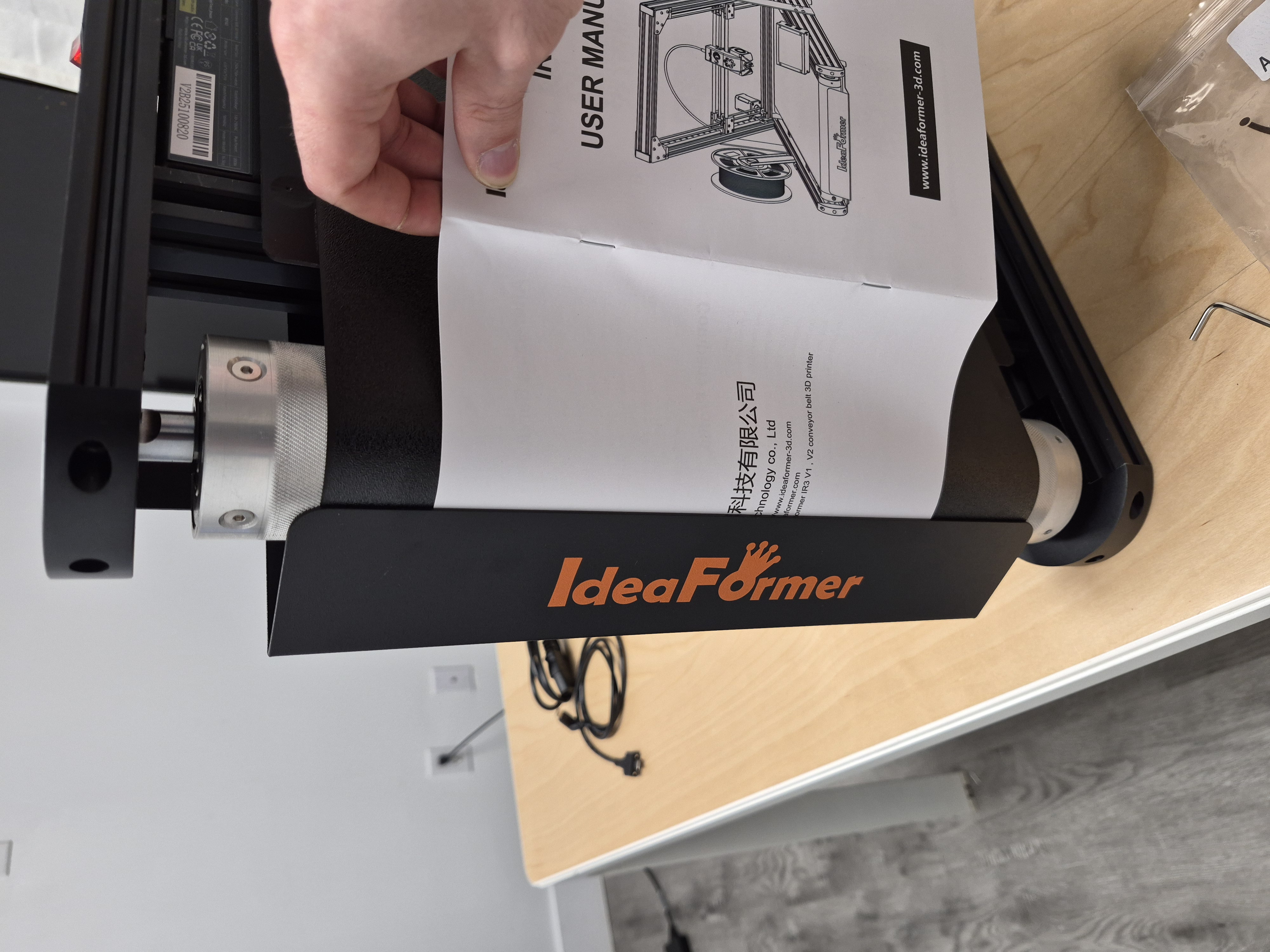
Monthly paper-gauge check. One sheet should barely pass, with no visible opening left at the baffle. Reposition if a gap has formed
Constant insole pressure means insoles can push the baffle outward over time and slowly form a gap. If you can see a gap, reposition and tighten the baffle before printing.
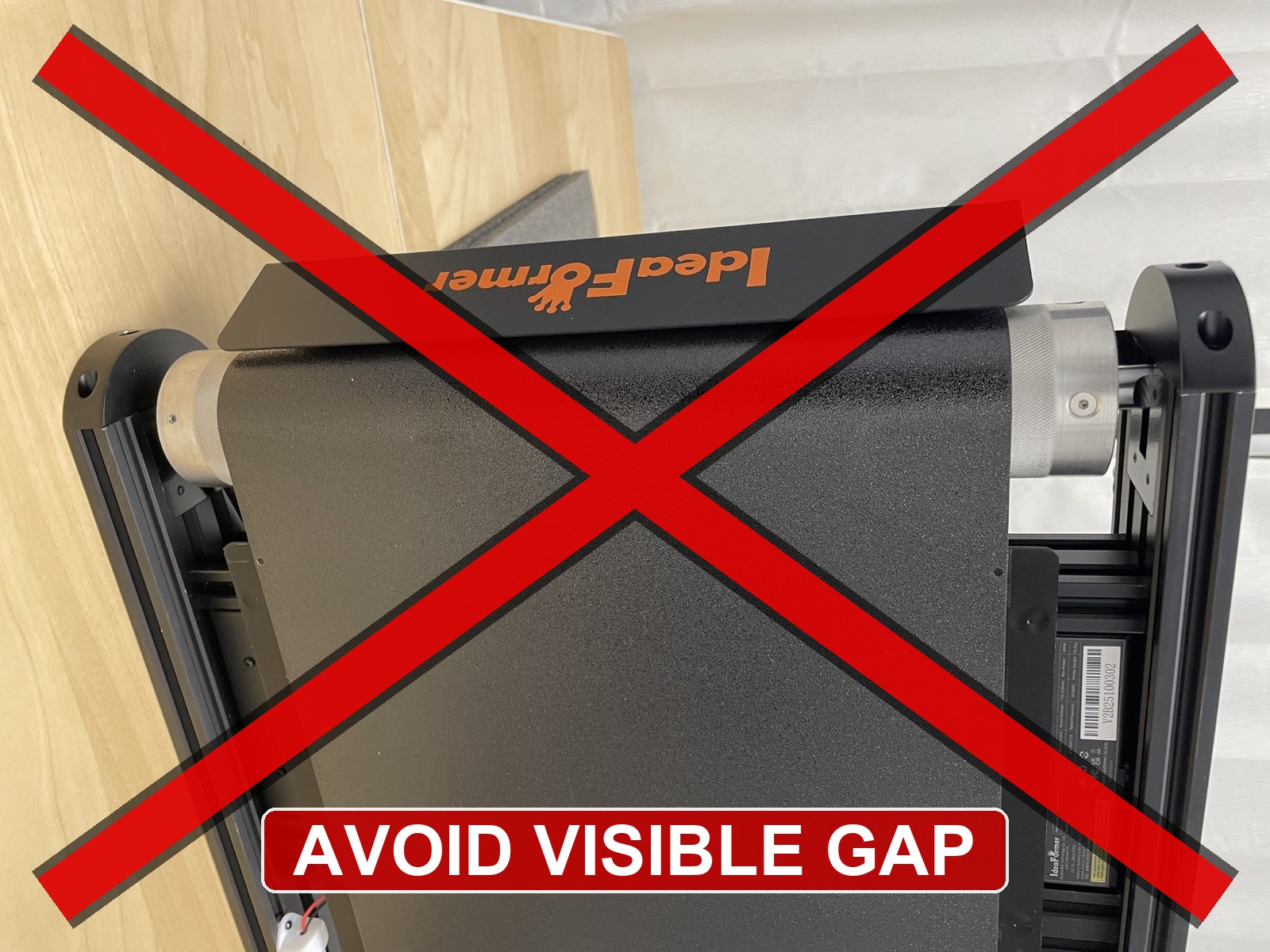
Avoid this visible gap during the monthly check. Reposition the baffle until the gap is no longer visible. Stop if prints catch or drag
A large baffle gap can let insoles catch or drag. Stop printing until the baffle is tight again.
Before you finish
- The monthly baffle position check is complete.
- No visible gap remains between the baffle and the belt path.
- A single sheet of paper barely passes.
- The baffle is tightened before printing.